A New Context Plugin for AI-Assisted Coding with PayPal SDKs

May 29, 2026
8 min read
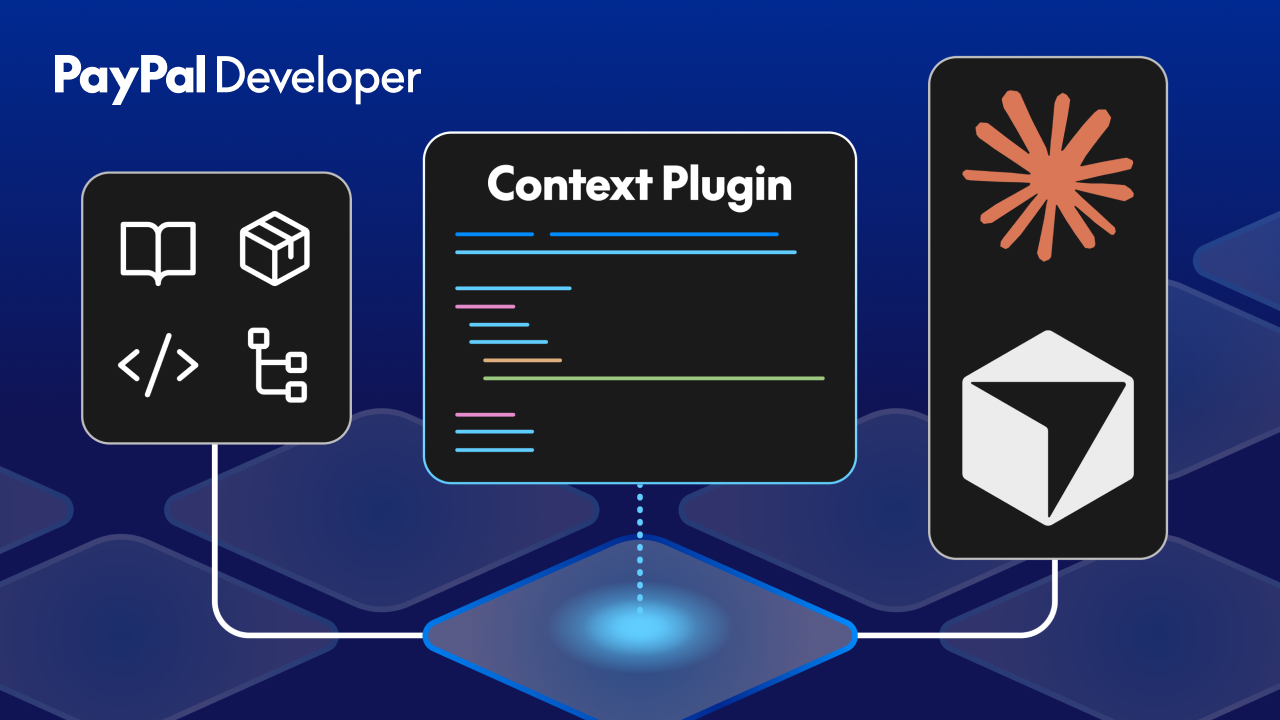
The hardest part of AI-assisted API integration isn't writing the code anymore: the newest models are highly capable. The problem is that their picture of the SDK can be years out of date. That's what we've been trying to fix: the result is the Context Plugin for PayPal Server SDKs, now in beta.
The new Context Plugin from APIMatic gives Claude Code, Cursor, and other MCP-aware coding agents authoritative context for development, meaning you get fewer hallucinations, more reliable SDK calls, and fewer rounds of prompting to fix what your AI model got wrong.
Why AI gets SDK integrations wrong
Like most SDKs, PayPal's SDKs are open source and the docs are public, but the code and tutorials on the open web still skew heavily toward older, deprecated versions, and that's what LLMs learn from. paypal-rest-sdk, for example, is deprecated, yet years of Stack Overflow answers and tutorial code online still reference it. When you tell a coding agent to add something to a project, the model doesn't know which pattern is valid and often just guesses instead of asking or trying to find out.
The result is the thing every vibe-coder has seen at least once: a confident, well-structured block of code that references a method that was never in the SDK, or passes parameters in an order that hasn't been correct for months.
Prompted with "add PayPal checkout to my Express app," an agent without authoritative context might produce something like this:
const paypal = require('paypal-rest-sdk');
paypal.configure({
mode: 'sandbox',
client_id,
client_secret
});
paypal.payment.create({
intent: 'sale',
payer:
{ payment_method: 'paypal'
},
transactions: [{
amount: {
total: '100.00',
currency: 'USD'
}
}]
},
(err, payment) => {
/* ... */ }
});
payment.create calls the v1 Payments API, which was superseded by Orders v2 but the callback pattern that the LLM has learned during training predates the promise-based interface the current JavaScript and TypeScript PayPal SDKs use.
With the Context Plugin loaded, a prompt should resolve against the current SDK: @paypal/paypal-server-sdk, meaning that agent reaches for the current Client and OrdersController surface with typed inputs:
import {
Client,
Environment,
OrdersController,
ApiError
} from "@paypal/paypal-server-sdk";
const client = new Client({
clientCredentialsAuthCredentials: {
oAuthClientId: process.env.PAYPAL_CLIENT_ID!,
oAuthClientSecret: process.env.PAYPAL_CLIENT_SECRET!,
},
environment: Environment.Sandbox,
});
const ordersController = new OrdersController(client);
try {
const { result } = await ordersController.ordersCreate({
body: {
intent: "CAPTURE",
purchaseUnits: [
{
amount: {
currencyCode: "USD",
value: "100.00"
}
}
],
},
});
return result.id;
} catch (err) {
if (err instanceof ApiError) {
// structured error: err.statusCode, err.body, err.headers
}
throw err;
}
How does the Context Plugin help developers?
The Context Plugin is an MCP server. If you're not familiar with the Model Context Protocol, the short version is that it's an open standard created by Anthropic and lets coding agents pull in up-to-date information from external sources on demand, instead of relying on whatever was in their training data.
When you install the PayPal Context Plugin in Claude Code, Cursor, or another MCP-compatible IDE, your coding agent gets direct access to:
● The current PayPal Server SDK surface (.NET, Java, PHP, Python, Ruby, TypeScript, and JavaScript) with real and up-to-date methods, parameters and types.
● Idiomatic code samples drawn from the SDKs themselves.
● Recommended integration workflows for common scenarios.
● Version-aware guidance, so the patterns match the actual SDK you're using.
Instead of generating code from memory, the agent grounds its output in the SDK as it exists today, with dramatically fewer hallucinations and error handling that matches what ships in the package.
What this means for developers building on PayPal
The new Context Plugin improves the developer experience across three main areas: lower token costs, shorter development times when using AI coding agents, and fewer hallucinated SDK calls.
Lower token costs
Rather than dumping entire docs into the context window, the plugin serves targeted context only when the agent asks for it. That means smaller prompts, cheaper calls, and less time waiting for the model to chew through material it didn't need.
Build faster
Going from "add PayPal" to a working integration usually takes one pass instead of several. The agent reaches for the right SDK, initializes it correctly, uses typed methods, and the correct error handling rather than generic HTTP boilerplate.
Fewer invented APIs
Because the agent can query real SDK context before it writes a line, it stops fabricating methods that sound plausible but don't exist. In experiments on mature .NET codebases, Context Plugin-assisted integrations produced cleaner and more maintainable code than runs without the plugin. Across their internal testing, APIMatic reported 37% better token efficiency, 83% integration success on complex APIs, and roughly 70% fewer security issues per thousand lines of code.
Where this fits into PayPal's MCP for Builders initiative
The Context Plugin isn't a standalone feature. It's one piece of a broader direction we've been calling MCP for Builders — the idea that PayPal should show up inside the tools developers use every day, rather than asking you to come to us.
Mark Lummus, who leads our Dev Tools product work, put it this way:
“We're not about operational tasks for merchants. We're automating developer jobs — the things developers do manually today, like scaffolding a new application, troubleshooting code, or running pre-launch checklists. MCP is one way to facilitate that.”
Context Plugins are how that philosophy shows up for SDK integration specifically and other pieces of the MCP for Builders vision will land in other parts of the developer workflow. Whether you're a senior engineer using Claude Code to save time or someone vibe-coding their first payments integration from scratch, the goal is the same: help developers build inside their IDE and ground AI tools in an authoritative context.
Try the Context Plugin for yourself
The Context Plugin is in beta now with support for Claude Code, Cursor, and other MCP-compatible coding agents. If you're building on PayPal Server SDKs and you're already using an AI assistant in your workflow, it only takes a few minutes to add it to your MCP config and start seeing the difference in your next project.
From API Portals to Cursors: Meet Developers Where They Code. Abdul Hannan Shaikh, November 25, 2025, apimatic.io/blog.from-api-portals-to-cursor.
Recommended
Managing Recurring Payments with Apple Pay Using PayPal
4 min read

Why You Should Attend PayPal’s Developer Meetup at Money20/20
4 min read
Building a Customizable Messaging Platform
10 min read